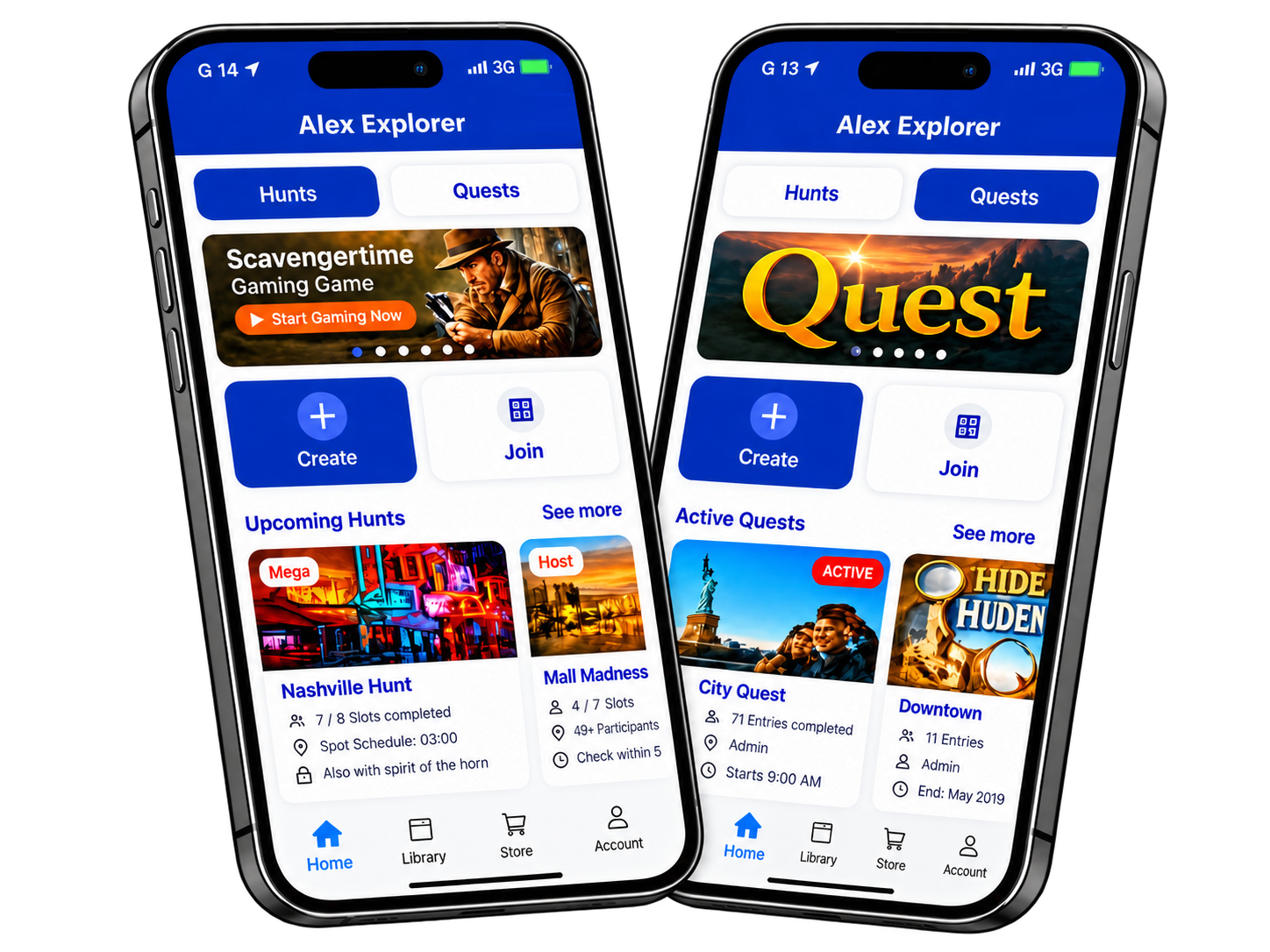
Two fun modes to choose from

Either create a Scavenger Hunt where you are the host while teams compete or create a Quest where players (or you) complete tasks on your own.

Scavenger Hunts

  • You control the hunt settings

    Create titles, descriptions, cover photos and items to hunt. Approve player submissions, allow messaging, offer prizes, set time limits, set up rules, and start/end the hunts.

  • Replayability

    With a couple of clicks you relaunch a Hunt to play again. You can even easily add previously created or purchased items.

  • The Host Approves

    Hunts can be set up for host approval. What that means is that the host will see the teams captured pictures or videos in real time and approve or reject them. The host can message and explain why the item was rejected.
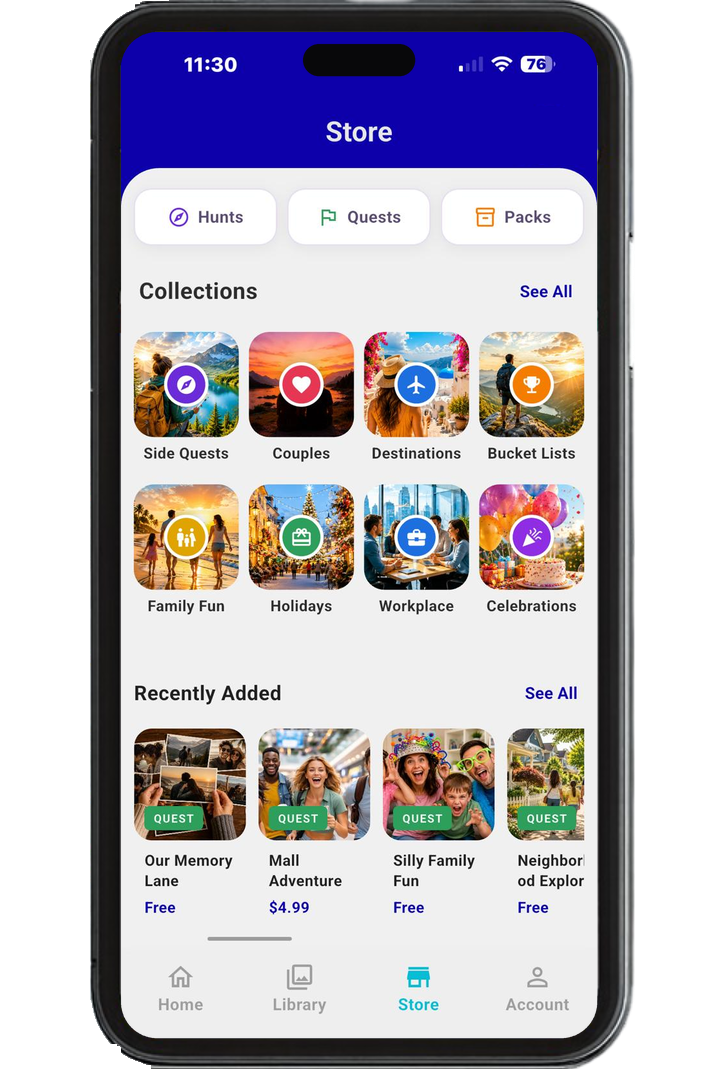
Quests

  • On your time

    With Quest you are in control of when you complete them. It could be a day or several years.

  • Relaunch and do it again!

    Maybe you thought you were done and ended a Quest. Well you can relaunch and do it again.

  • Share your Quest

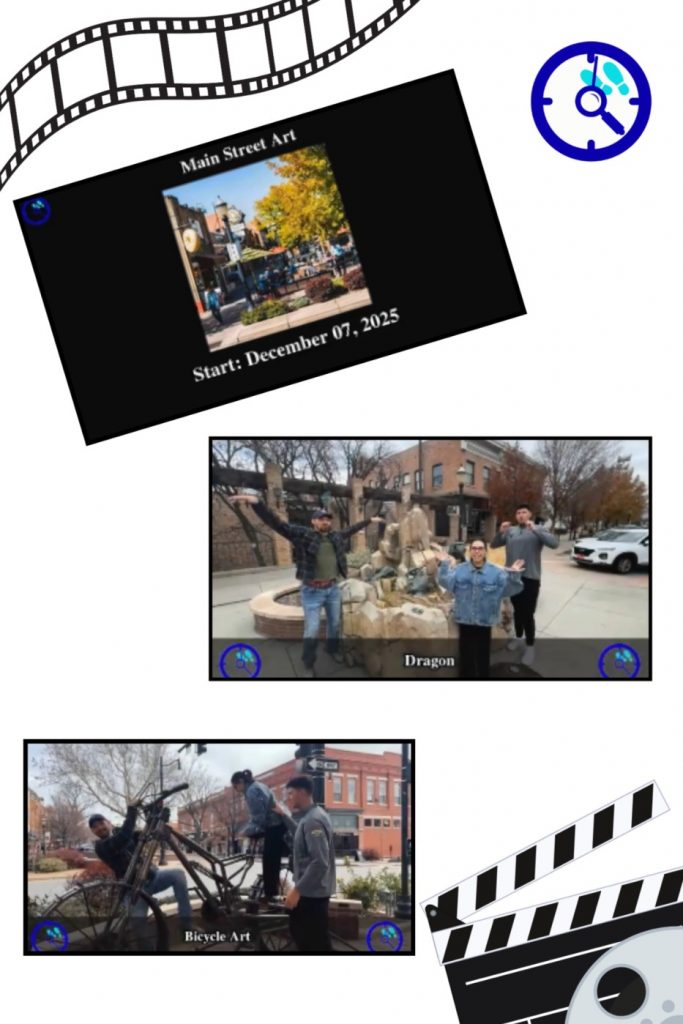
    Upload the Quest videos to your favorite social media sites or simply send it to friends and family.
Play From Anywhere

Stay updated on all your hunts and submissions.

Easy to Play

Create a hunt in minutes

Play Real Time

See submissions, manage players, and distribute rewards

Stay Connected

Get instant updates and player interactions

Everyday Fun, Anytime

Perfect for team building, friend groups, or community events — Scavengertime adds fun to any occasion.

  • Image or item-based hunt tasks.
  • Custom rules, deadlines, and prizes.
  • Premium plan for unlimited hunt creation.
  • Join or host from anywhere.
  • Solo or team play options
  • Track progress in real time

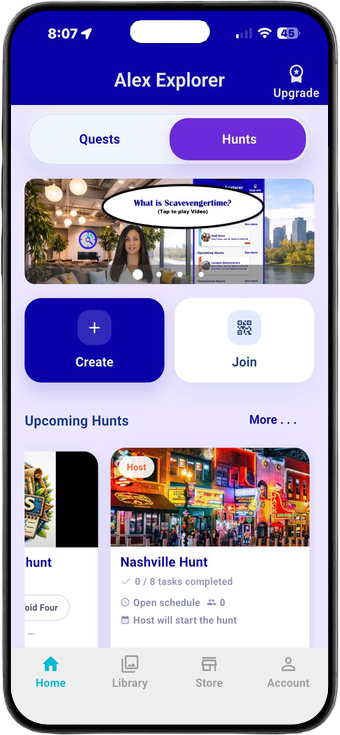
Screens

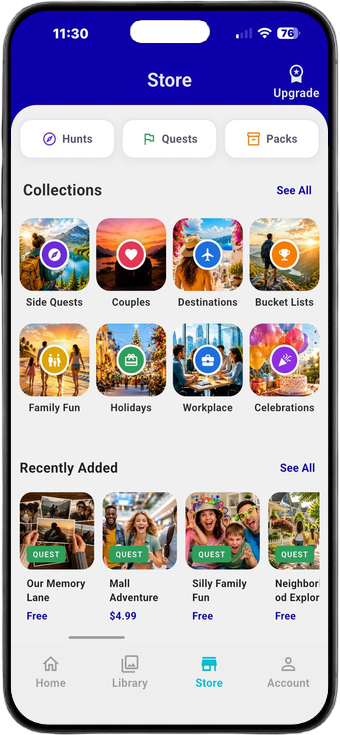
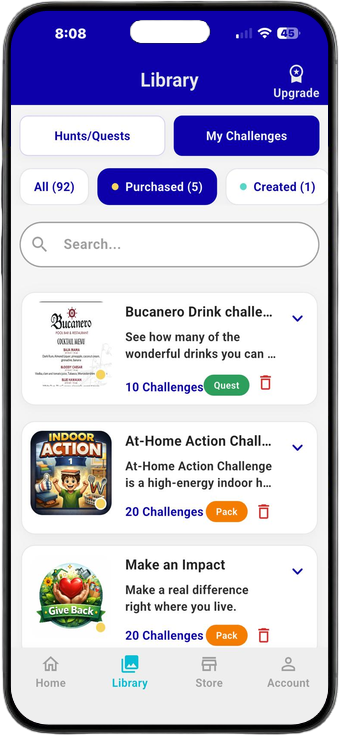
Take a look at some of the screenshots from the app. Each adventure is only a few clicks away.
Frequently Asked Questions

Look below to get answers to commonly asked questions.Also explore our Learning Center to get to know all the amazing capabilities of Scavengertime.

About Scavengertime
Questions explaining the platform and its purpose.
What is Scavengertime?
Scavengertime is an app that turns real-world exploration into interactive experiences. You can participate in hosted scavenger hunts or work on personal quests at your own pace using photos and short videos.
What's the difference between Hunts and Quests?
Scavengertime has two distinct ways to engage:

Hunts are host-driven, game-style challenges. A host creates the hunt and players participate as teammates or individual players within that hunt. Hunts are typically time-based and may involve competition.

Quests are personal challenges focused on individual goals or experiences. There is no host, no required competition, and no time pressure. Quests can be short-term or long-term depending on what you want to accomplish.
Is Scavengertime still being developed?
Yes. Scavengertime is a fully functioning app, and we continue to make regular updates to add new features and improve usability. We value user feedback and use it to help guide future improvements as the platform continues to grow.
Hunts (Game Play)
Hunts are host-driven, game-style scavenger challenges. A host creates the experience and players participate either individually or as teams.
What is a Hunt host?
A host is the person who creates and manages a scavenger hunt. The host sets up the hunt, selects the items, and invites players or teams. A host does not participate as a player in their own hunt.
Can I play a Hunt by myself?
No. A Hunt cannot be played entirely by yourself. Every Hunt requires at least one host and at least one participating player or team. Players may join as individuals or as part of a team, but a Hunt cannot exist with only one person.
Do I have to join a Hunt as part of a team?
No. You may join a Hunt as an individual player or as part of a team. However, a host is always required for a Hunt to exist.
Are Hunts competitive?
Sometimes — it depends on how the Hunt is set up. Hunts are competitive by design, but competition is optional. Hosts can choose whether to offer prizes or keep things purely for fun. A Hunt can be a relaxed, social experience or a highly competitive challenge. The level of competition is determined by the host and the players.
Is GPS required to play Hunts?
No. Scavengertime does not use GPS tracking. Items are completed using photos or short videos instead.
Quests
Quests are personal challenges focused on individual goals or experiences. Complete them at your own pace with no competition or time pressure.
What is a Quest?
A Quest is a personal challenge built around individual goals or experiences. Quests can be short-term or long-term depending on what you want to accomplish. They are not competitive, do not require a host, and can be completed at your own pace.

Quest items do not need to be captured within the Scavengertime app at the moment they happen. You can take photos or videos on your phone at any time and upload them later from your device's gallery as part of your Quest. Completing the Quest is the win.
Can I work on Quests alone?
Yes. Quests are designed to be completed individually and do not require a host. You can work through a Quest on your own or choose to complete it alongside friends in a casual, non-competitive way. Quests are simply a collection of experiences or goals to accomplish, without rankings or winners.
Do Quests have winners or rankings?
No. Quests do not have winners, rankings, or time limits. Progress and completion are personal achievements.
Participation & Teams
Questions about playing with others and how participation works.
Do I need other people to use Scavengertime?
No. You can work on Quests completely on your own.

If you choose to join a Hunt, other people are involved because Hunts always require a host and participating players.
Media Uploads & Content
Questions about uploading and sharing photos, videos, and other content.
What kind of media can I upload?
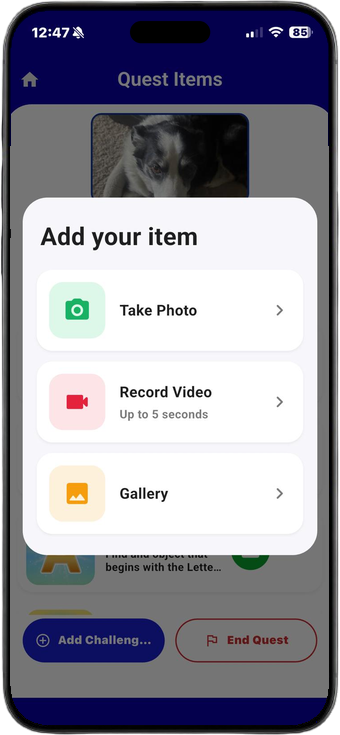
You can upload photos and short videos (up to 5 seconds) to confirm completion of Hunt and Quest items.
Can I upload photos or videos?
Yes, but how you upload depends on what you're playing.

During a Hunt, photos and videos (up to 5 seconds) must be captured in real time through the Scavengertime app.

During a Quest, photos and videos (up to 5 seconds) may be captured in real time or uploaded later from your device's gallery.

This flexibility allows Quests to be completed on your schedule, while Hunts remain fair and consistent for all participants.
Who can see my uploads?
Uploads are only visible to the participants involved.

In Hunts, uploads can be viewed by the team and the host. The host's role is limited to viewing and approving submissions.

In Quests, uploads are visible only to the account holder who completed the Quest.

The host does not have access to the final recap video unless you choose to share it. Hosts cannot publicly share or distribute your uploaded photos or videos.

Content is never publicly visible by default and can only be shared if the person who created and completed the Hunt or Quest chooses to share it.
Safety & Community Guidelines
Questions related to safety, privacy, and platform rules.
Is my data safe?
Scavengertime limits access to user data, and only authorized personnel can access backend systems. Your content remains private unless you choose to share it. For more details on how we collect, use, and protect information, please review our Privacy Policy at:
https://www.scavengertime.com/privacy-policy
Unsafe behavior and removal of participants
All users are expected to follow Scavengertime's guidelines and Terms of Use. The host is responsible for reporting any unsafe, unethical, or inappropriate behavior during a Hunt. Violations should be reported to contact@scavengertime.com and include a brief description, the Hunt title, date and time, and the name of the team involved. All users—both hosts and participants—are solely responsible for following Scavengertime's guidelines.
Account & Support
Questions related to account management and getting help.
Can I delete my account?
Yes. To request account deletion, email contact@scavengertime.com with the subject line "Delete My Account." Please include the email associated with your account and a brief reason for the request. We may verify the request before deleting the account. Allow up to 30 days for the deletion to be completed.
Where can I find tutorials or help?
Tutorials, videos, and additional support resources are available on our website:
https://www.scavengertime.com

How often do you want to pay?

Save with yearly billing

Explorer

Start your adventure with the Explorer plan — the perfect way to experience Scavengertime at no cost. Cre...

$0
per month
forever
Saved Hunts: You can save up to 1 hunts.
Saved Quests: You can save up to 1 quests.
Hunt Items Limit: Each hunt can include up to 10 items.
Quest Items Limit: Each quest can include up to 10 items.
Created Items in Library: You can create and store up to 5 items in your personal library.
Purchased Items in Library: Unlimited — no restriction on purchased items.
Teams per Hunt: Each hunt can support up to 5 teams participating at the same time.
Quest Sharing: You can share each quest with up to 3 people.
Video Storage: Uploaded videos will be stored for 1 day.
Hunt RelaunchNot available on this plan.
Quest RelaunchNot available on this plan.
Ad-Free Experience: Enjoy the platform without advertisements.

purchase

Get In Touch

If you have any questions, suggestions or words of encouragement,feel free to contact us here or email us directly. Your feedback is valuable to us.